What is a Notary?
A Notary Public is an official authorized to witness the signing of important documents, verify identities, and administer oaths. Our notaries ensure that documents are legally binding and free from fraud by confirming the identities of signers and their understanding of the documents.
Why Choose PTM for Notary Services?
- Experienced Notaries: We have three in-office notaries, all of which are well-versed in the notarization process and can handle a wide variety of documents.
- Convenient Location: We offer our notary services in-office at PTM Trust and Estate Legal. Our office is in Gainesville, Florida, at 200 NW 75th Drive Suite B Gainesville, FL 32607, which is located off Tower Road near I-75. There is plenty of free parking!
- Flexible Scheduling: Our office hours are Monday through Friday, 9:00am to 5:00pm. We offer appointments at your convenience, including same-day appointments.
- Witnesses Available: We can provide you with not only a notary, but also with two disinterested witnesses.
Common Documents We Notarize
Power of Attorney—Pursuant to Section 709.2105, Florida Statutes, a Power of Attorney must be signed by the principal and by two subscribing witnesses and be acknowledged by the principal before a notary public to be effective.
Wills—In Florida, the requirements for a validly executed Will are that it (1) is signed by the testator at the end of the Will (2) in the presence of two witnesses, (3) who themselves sign that same Will, (4) in the presence of the testator and (5) in the presence of each other. While a Will itself need not be notarized, it is considered best practice to include a Self-Proving Affidavit in the Will, which must be signed by a notary, the testator, and the witnesses.
Trusts—In Florida, a Revocable Living Trust must be executed with all the formalities of a Will. In other words, the trust document must be signed by the trust creator in the presence of two witnesses who must also sign in the presence of the trust creator and in the presence of each other. While it is not statutorily required for the document to be notarized, it is best practice!
Financial Documents—In Florida, there are a slew of financial documents that may need to be notarized. For instance, financial statements provided to secure loans or other financial obligations, notarization may be required to authenticate the document. Other miscellaneous financial documents may also need to be notarized for certain court cases.
Deeds—Deeds, which are legal documents that transfer ownership or interest in real property between parties, need to be notarized pursuant to Section 689.01, Florida Statutes. Many sale agreements, leases, or other documents related to real estate deals.
Contracts & Agreements—Agreements between business partners or with external entities, or formal statements made by a corporation’s board of directors, may need to be notarized.
Pricing
Notary Fee. Florida law sets the pricing for notary services under Chapter 117, Florida Statutes. Accordingly, PTM Trust and Estate law charges $10.00 per certificate/seal.
For example, two people appear before a notary public and acknowledge execution of a deed. The notary completes one certificate of acknowledgement, which contains both parties’ names and all the other information as required by law. The notary signs her name and affixes her seal one time. The fee for this comes to $10.00. If two certificates of acknowledge were requested, the fee would then total $20.00.
Witnesses. Certain documents also require witnesses. For instance, in Florida, a Last Will and Testament requires the presence and signature of two witnesses along with the testator (i.e., the person making the Will). PTM can provide not only a notary, but also the requisite witnesses! The cost for witnesses, regardless of the number of documents that must be notarized, is an additional flat fee of $10.00 per witness signature.
Same Day Appointments. If our notaries schedule allow, PTM can also accommodate same day appointments. Same day appointments will include an additional flat fee of $10.00.
Contact PTM Legal for Notary Services
PTM Trust and Estate Law is happy to assist you with your notarization needs. Please call us at 352-554-5576 or contact us online to schedule an appointment.

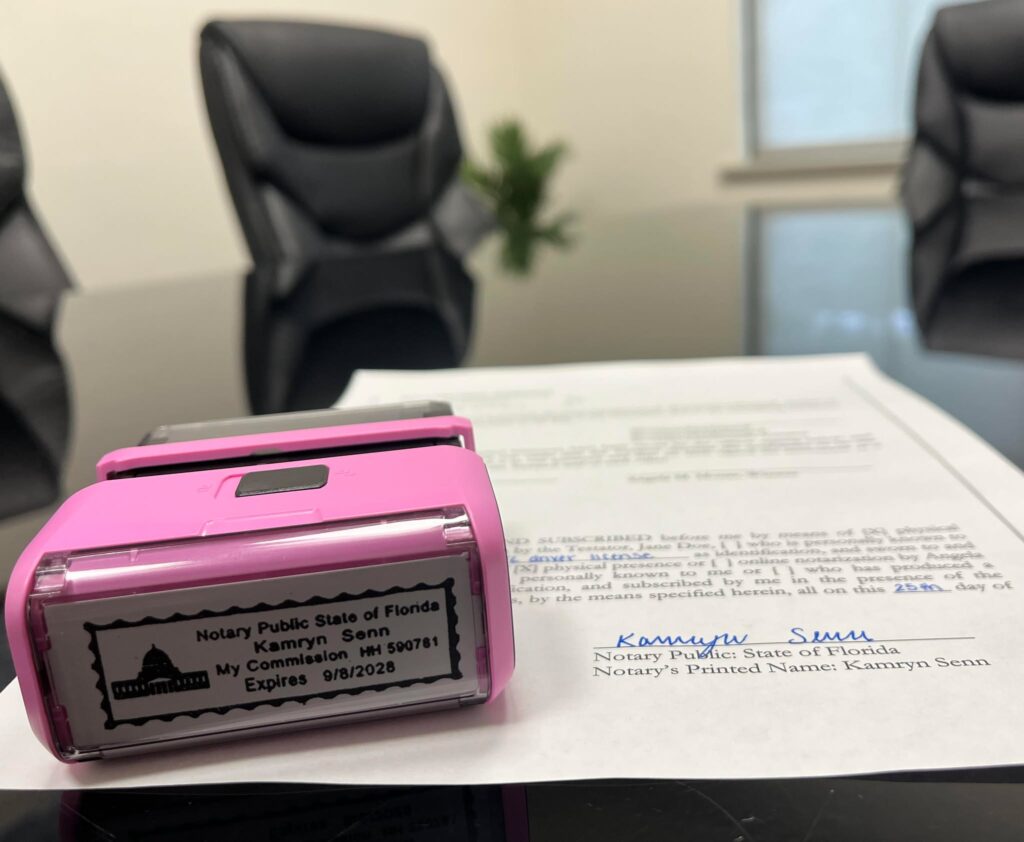 At PTM Legal, we provide reliable and professional notary services for all your document signing and authentication needs. Whether you’re dealing with estate planning documents or other business and real estate documents, our notaries are here to ensure that your documents are properly executed and legally valid.
 Meet Paralegal Emily Massey! Emily is a National Association of Legal Assistants (“NALA”) certified paralegal with years of experience supporting attorneys in litigation, estate planning and probate matters. Known for her meticulous attention to detail and strong organizational skills, Emily is dedicated to ensuring every client matter is handled efficiently, accurately, and with care. When she’s not in the office, Emily enjoys being active in her church community and spending quality time with her husband, Sean. Together, they love visiting Florida’s theme parks, trying new foods, and exploring nature trails with their dog. Emily values time spent with family and friends and believes that balance outside of work helps her bring focus and compassion to every client she serves.